Mobile-friendly fitter access using mobile number and PIN.

Fitter portal
Give fitters only what they need for the day.
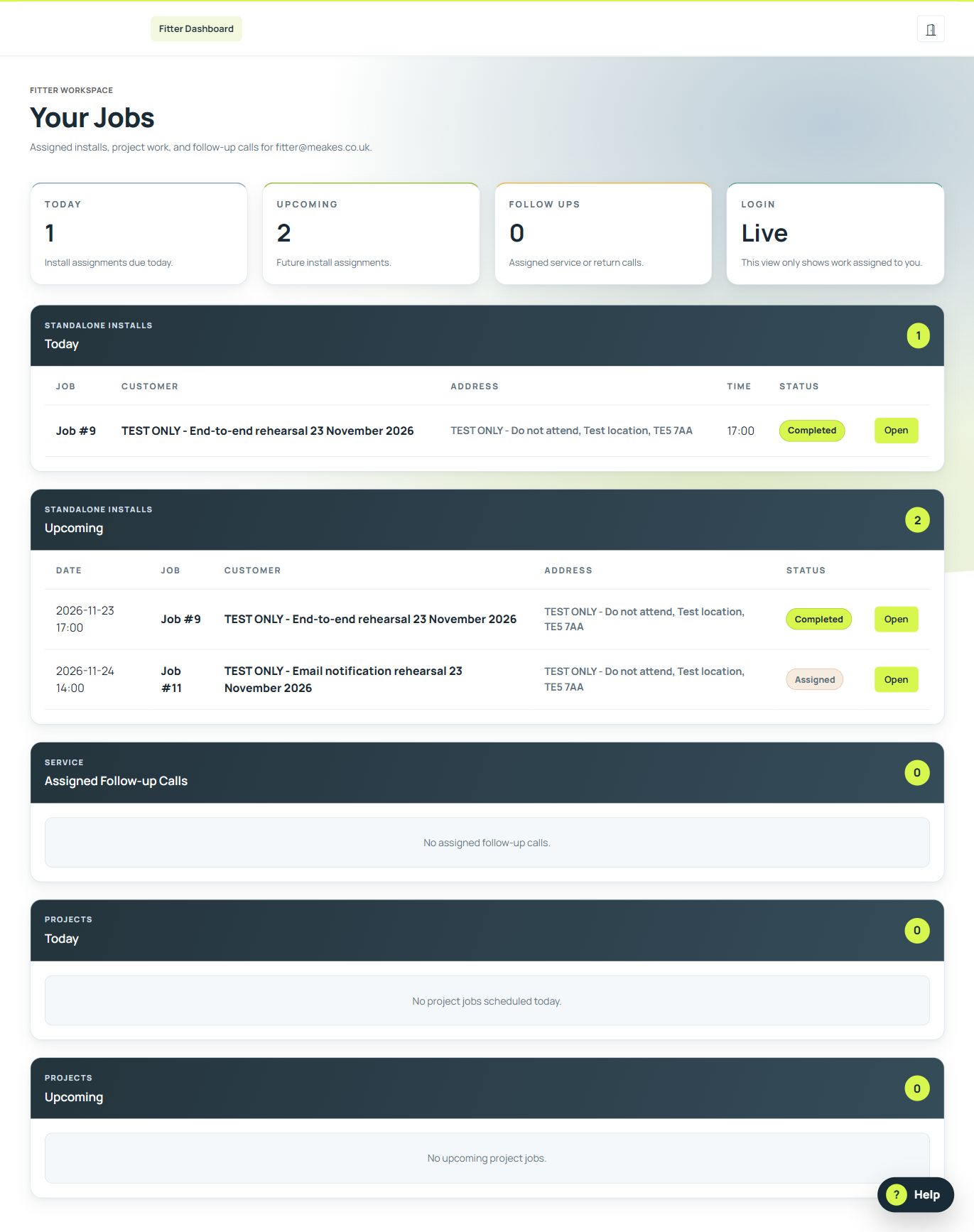
Fitters can log in with mobile number and PIN, see assigned jobs, check site details, upload photos, add notes, and complete sign-off without accessing the full office system.
Inside Panexis
Fitter dashboard
How it helps
Simple tools for the work your team already does.
Assigned jobs, addresses, dates, notes, and contacts in one view.
Photos and sign-off feed back to the office record.
Service calls and follow-up work can be tracked after fitting.
Complete installation checklists, record pre-existing conditions and capture full or partial customer sign-off.
Open saved photos and sign-off evidence from the job paper trail; record required remedial work and reorder references.
Workflow
See the path at a glance.
The aim is to make the next step obvious, keep the details attached to the job, and stop important work disappearing into inboxes, paper notes, or spreadsheets.
1
Assigned
2
On site
3
Photos
4
Sign-off
5
Complete
Who it helps
Built for real window and door teams.
Fitters
Install teams
Subcontractors
Service engineers
Next step