Manage jobs from start to finish
Create jobs, track stages, spot missing deposits, assign work, schedule fitting, and keep aftercare connected to the original customer record.
Learn more
Panexis is built for window and door companies that want less chasing, fewer spreadsheets, clearer fitting dates, better customer updates, and one place to see what needs attention next.
Create jobs, track stages, spot missing deposits, assign work, schedule fitting, and keep aftercare connected to the original customer record.
Learn moreBuild window and door quotes with measurements, frame types, colours, glass choices, cills, notes, pricing, and customer-ready documents.
Learn moreLet customers view quotes, deposit details, job updates, documents, handover information, and feedback requests without phoning the office.
Learn morePhotograph or upload a hand-drawn survey sketch and let Panexis draft the frame, panes, dimensions, and opener directions for the surveyor to check and refine alongside notes and photos.
Learn morePlan production, keep pane references and glass specifications traceable, and prepare supplier and manufacturing documents for supported, verified systems.
Learn moreUse diary views, fitting dates, staff workload, and fitter assignments to plan surveys, installs, service calls, and site visits.
Learn moreFitters can see assigned jobs, addresses, notes, dates, photos, and sign-off tools without needing access to the full office system.
Learn moreTrack snagging, service calls, warranty notes, follow-up visits, photos, and customer history after the installation.
Learn moreManage larger work with projects, properties, units, surveys, linked jobs, issues, progress, and sign-off in a separate structure.
Learn moreLink Panexis to Linxis so invoicing and finance workflows can be passed towards QuickBooks, with Xero and Sage routes planned.
Learn moreKeep appointments, surveys, callbacks, reminders, and overdue actions in one shared diary so nothing gets buried in email or sticky notes.
Learn moreUse workload planning to spot who is free, who is overloaded, what is unassigned, and where survey, fitting, or service capacity is tight.
Learn moreKeep supplier records, capabilities, notes, and bought-in product sources together so office and production teams know who supplies what.
Learn moreLog supplier orders for glass, frames, panels, and hardware, then see what is open, confirmed, late, or received before fitting dates slip.
Learn moreBring replies and inbound messages into a shared inbox view so the team can see what has come back from customers or suppliers.
Learn moreClose jobs out with sign-off, handover documents, photos, feedback, and aftercare notes so the final stage is as organised as the first.
Learn moreManage pricing grids, glass multipliers, frame and handle colours, imports, and onboarding setup so the quote engine reflects how you actually sell.
Learn moreSave named alternatives for a whole quote or an individual opening, compare totals and restore the chosen option while the quote is still a draft.
Learn moreSend customers a branded quote PDF and review link, capture acceptance and track the deposit against the outstanding balance.
Learn moreBring supplier costs and additional direct costs together to review job profit and margin against the sale value.
Learn moreManage company details, logos, document branding and team access while giving customers, fitters and surveyors focused views.
Learn moreActual Panexis screens using labelled test jobs. Select an image to view it full-size.
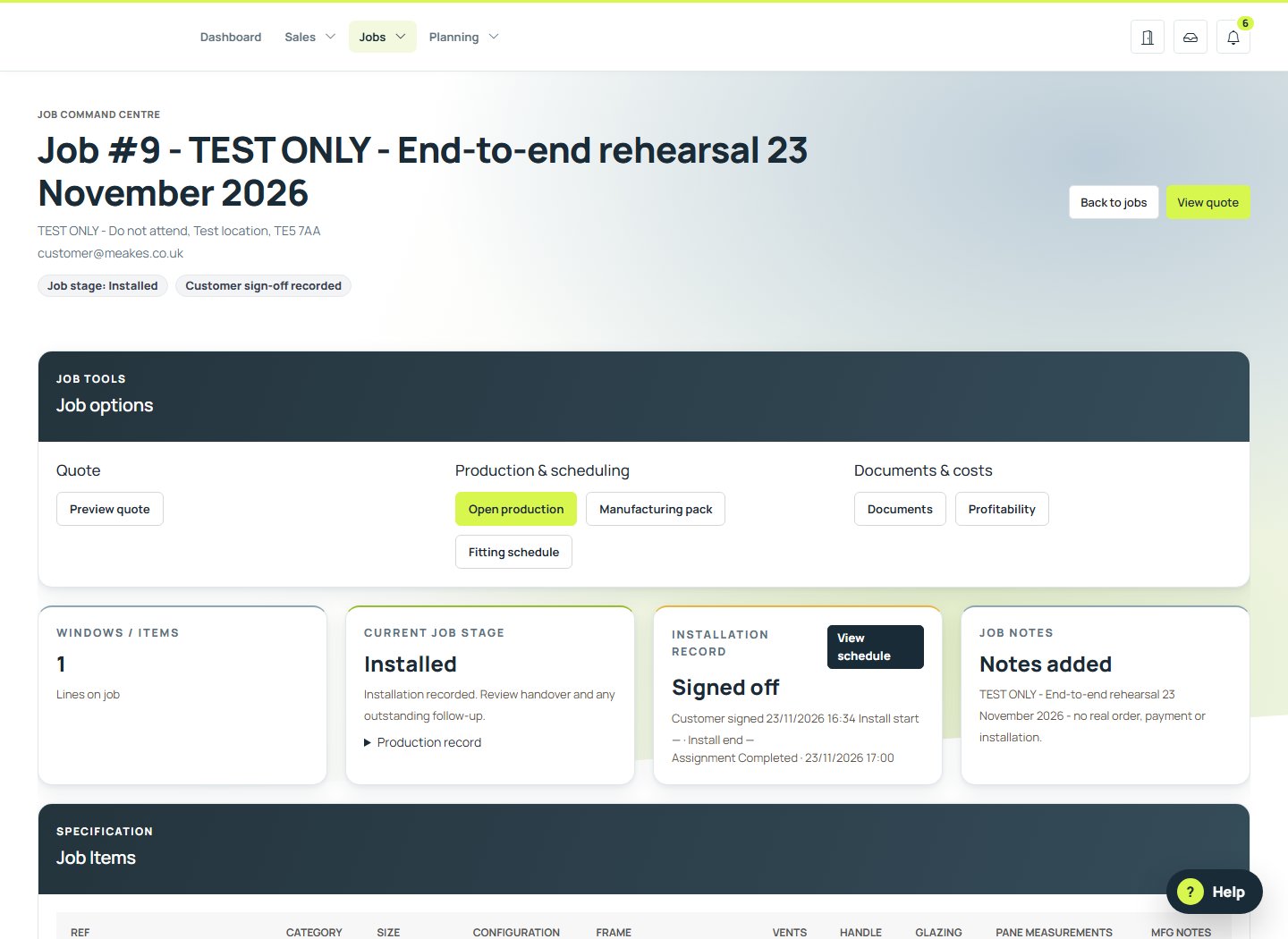
See job stages, missing deposits, due work, and fitting gaps from one operational view.
Open feature page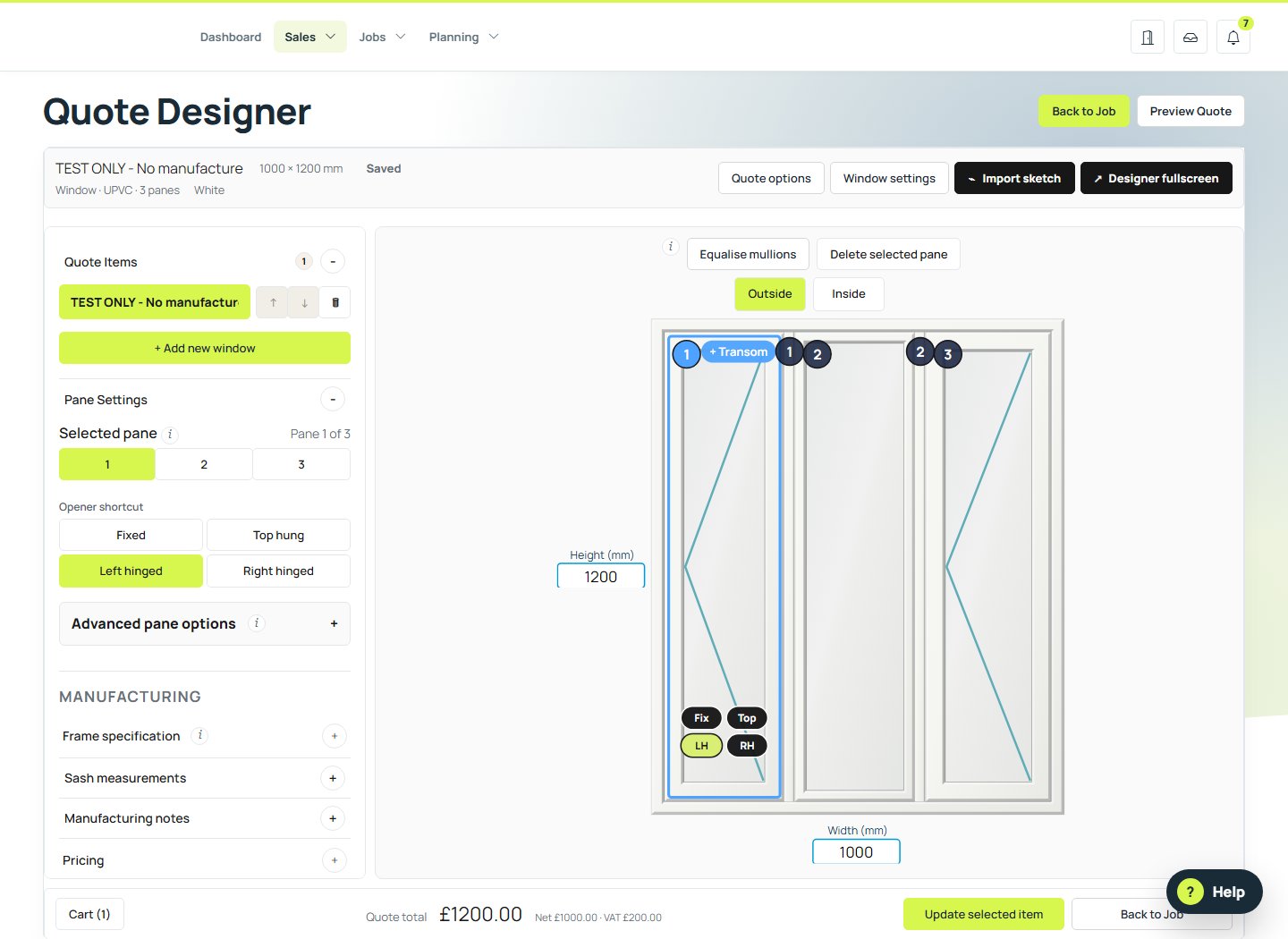
Build window and door specifications visually, with pricing and manufacturing detail attached to each item.
Open feature page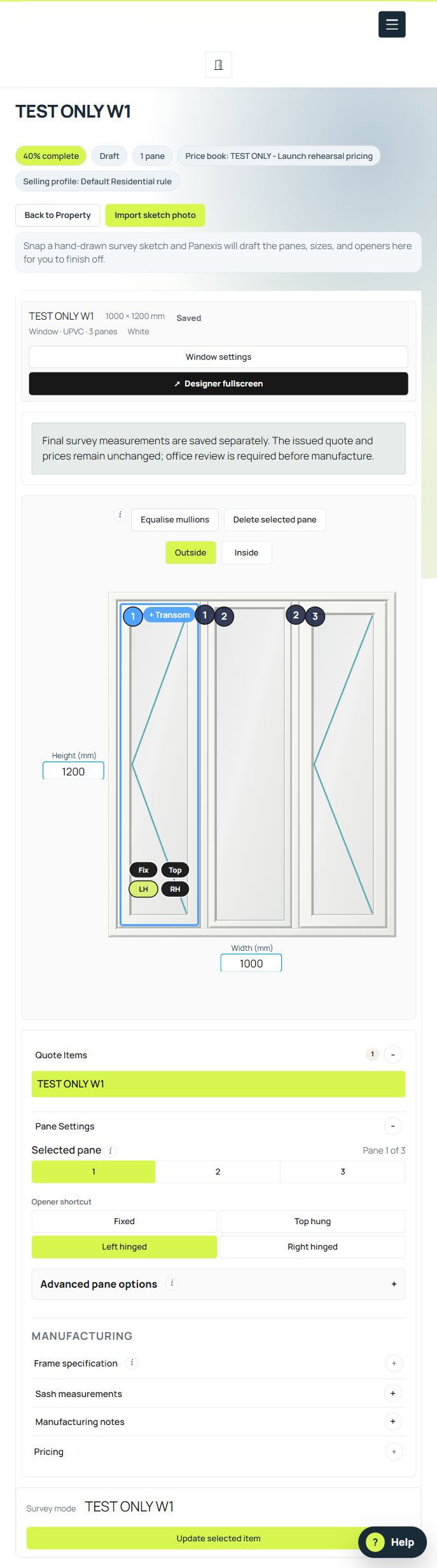
Turn a photographed hand sketch into an editable window or door draft, then check panes, dimensions, and opener directions before saving.
Open feature page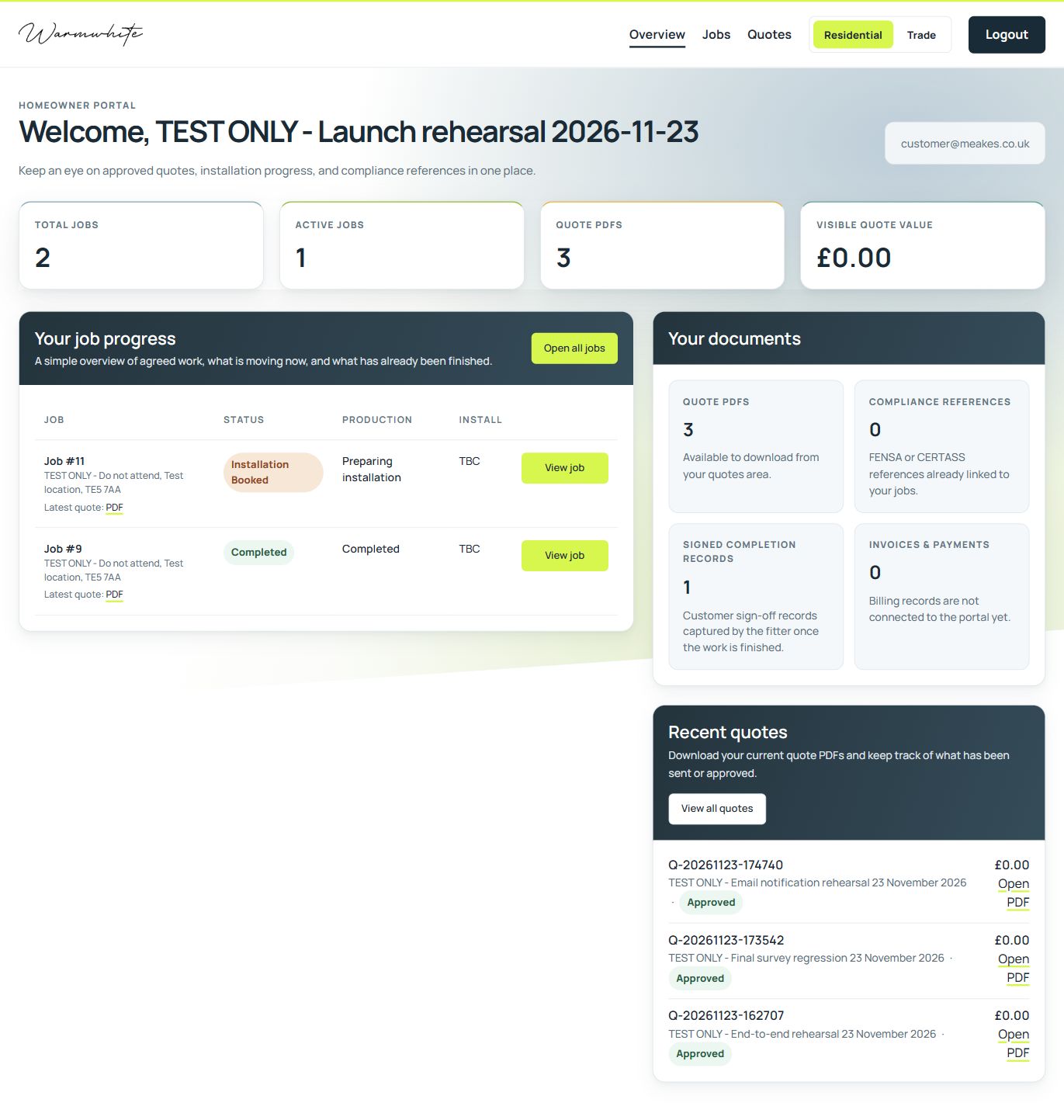
Give customers a clear place to follow progress, review documents, and see updates without calling the office.
Open feature page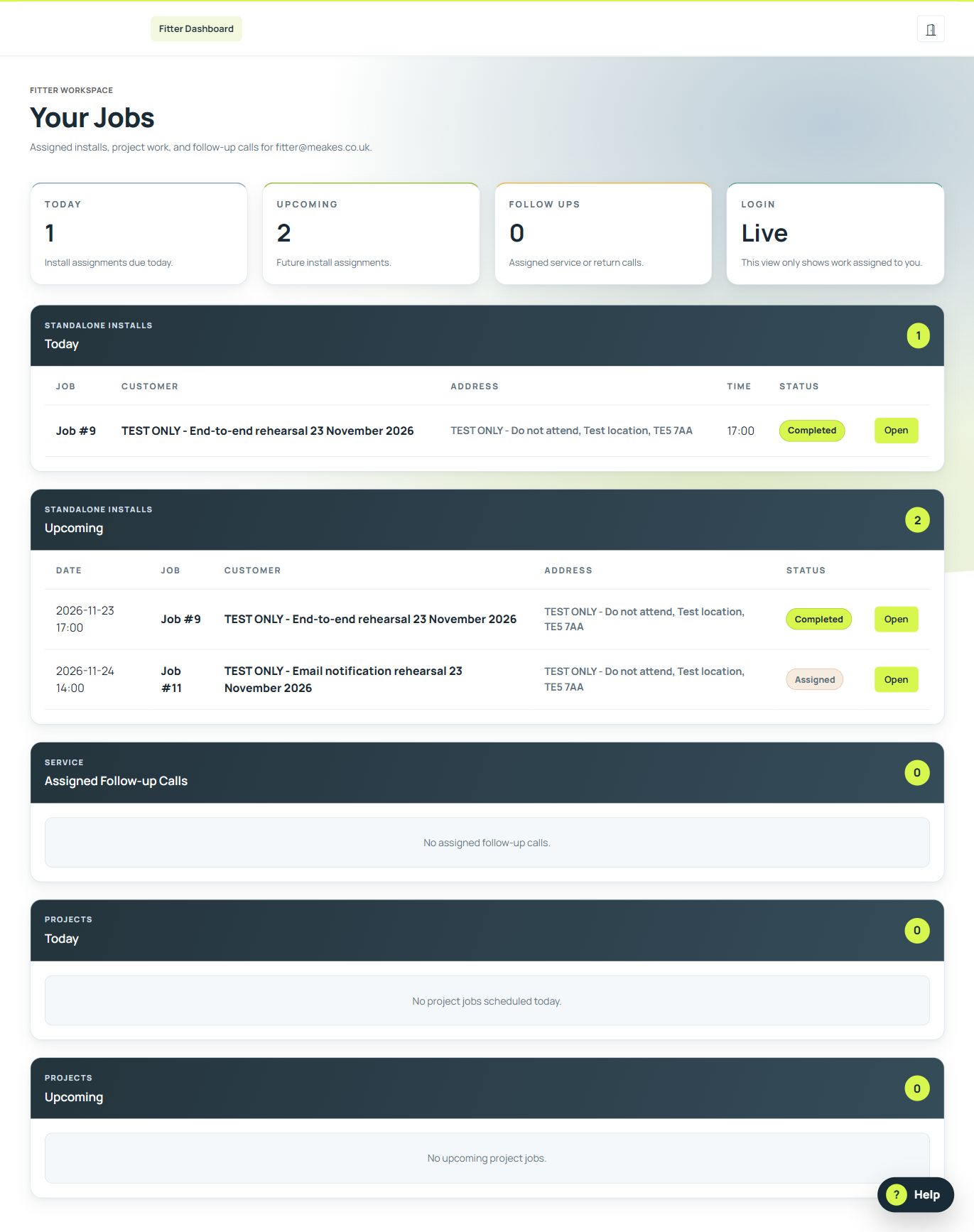
Plan dates, fitter assignments, and team capacity while keeping every appointment linked to its job.
Open feature page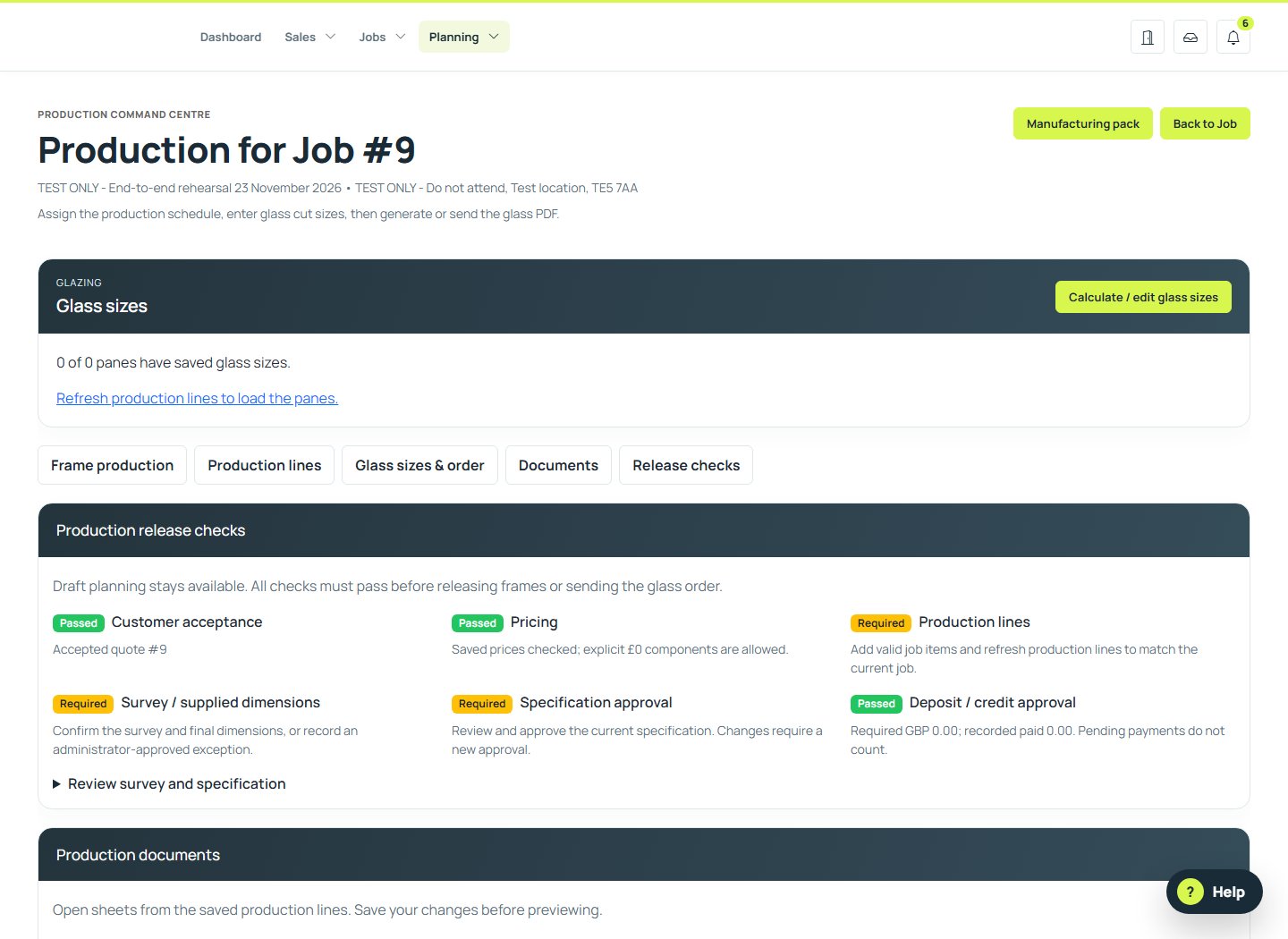
Carry accepted work through production weeks, manufacturing documents, and bought-in supplier items.
Open feature page
Give fitters a focused mobile workspace for assigned work, site photos, and customer sign-off.
Open feature pageKeep each stage linked to the same job, so your team can see what is ready, what comes next, and who needs to act.
For owner-led teams that need quoting, jobs, diary, fitting, and aftercare without heavy admin.
View use caseFor larger projects with properties, units, surveys, linked jobs, issues, and sign-off.
View use caseFor turning photographed sketches into editable layouts, then confirming measurements, panes, openers, photos, notes, and progress.
View use caseSee how one job record moves from enquiry to quote, production, fitting, handover, and service.
View use case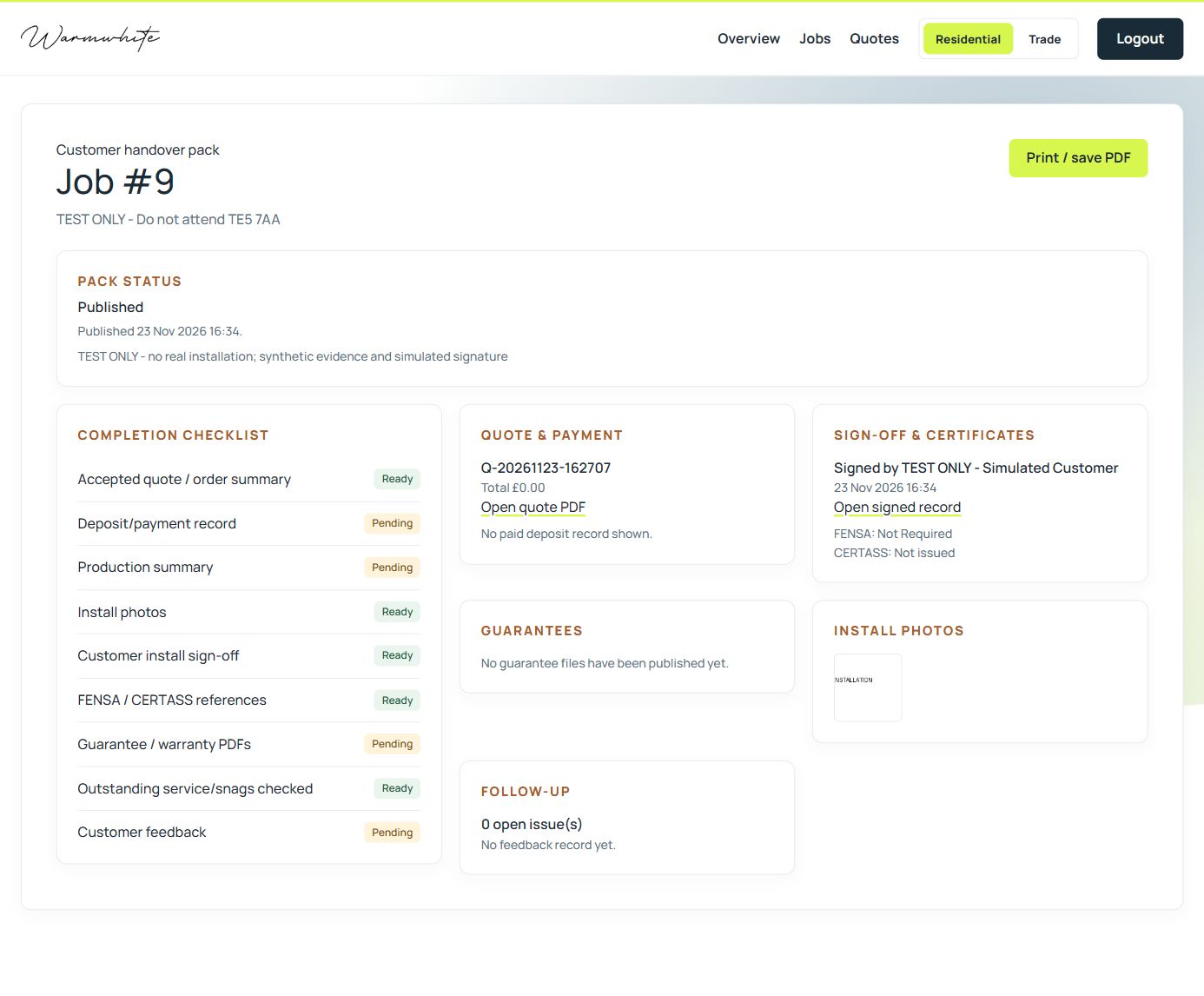
Customers can move from quote approval to deposit, survey, progress updates, installation, handover documents, feedback, and aftercare with less confusion.
Handle WhatsApp enquiries in Panexis, answer from published business knowledge and guide customers towards a confirmed appointment.
Read customer messages and assistant replies together. Check delivery status, review conversations needing attention and reply as your team. Manual replies pause AI; resume it when you are ready.
Connect an assistant with published services, contact details and policies. Set answer guidance, review knowledge gaps and keep a human contact route for questions needing judgement.
Configure staff, working hours, appointment duration and travel allowance. Respect blocked time, collect visit details and ask for confirmation. Panexis rechecks availability before saving the booking.
WhatsApp requires a connected Linxis workspace, an eligible Meta number and assistant setup. Booking also needs Panexis diary configuration. Travel uses a fixed allowance, not live driving routes. Requests needing help can create an assigned diary callback and pause AI; staff monitor the diary and inbox. Callback tasks do not automatically send staff email or SMS.
This supports customer enquiries and replies, with opt-out and reply-window controls. Outbound campaigns, template sending and media understanding are not currently included. Confirm setup, usage allowances and any Meta charges when discussing your workspace.
Discuss your WhatsApp and booking setupThree 56-second illustrated walkthroughs with British English voiceovers, captions and transcripts. Illustrations use no customer data.
Follow a window and door job from enquiry to handover.
See AI answers and staff replies in your Panexis workspace.
Follow a WhatsApp enquiry to a confirmed Panexis diary appointment.
Available modules depend on your plan and workspace setup. Online payments require a configured provider; email, WhatsApp, AI and accounting connections need their own setup. Discuss the workflows you need during your demonstration.
Manufacturing output is system-specific. Cutting and fabrication require verified technical rules; Eurocell Logik cutting and fabrication remain blocked pending the required manual and validation. Test and provisional glass orders cannot be sent to suppliers.
Read about production readiness