Visual quote designer for windows and doors.

Quote software
Build quotes without rebuilding the job later.
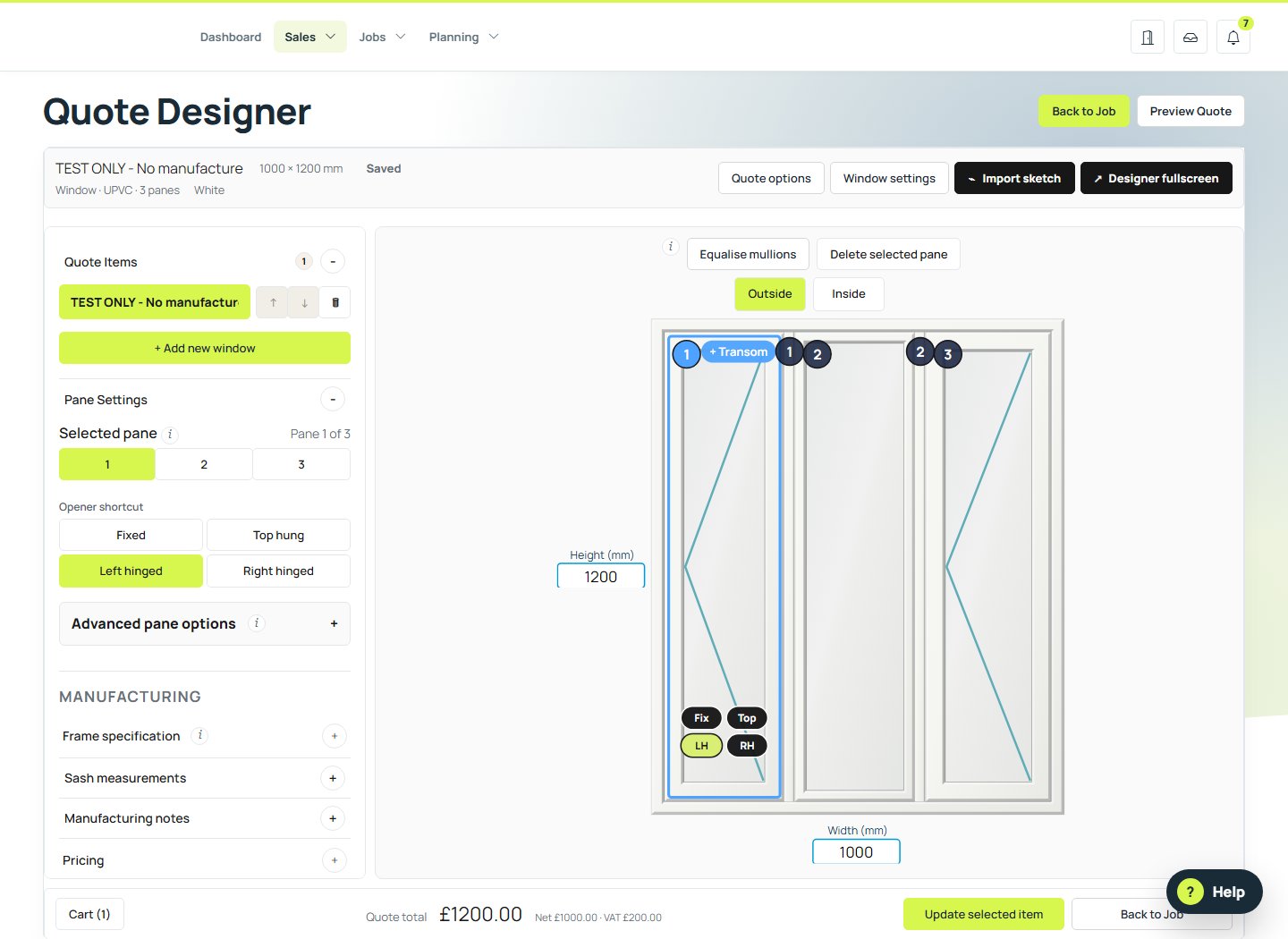
Create window and door quotes with sizes, panes, frame choices, glass, colours, notes, cills, prices, and customer-ready documents. Once accepted, the same details move into the job workflow.
Inside Panexis
Visual quote designer
How it helps
Simple tools for the work your team already does.
Frame, colour, glass, hardware, cill, and pane choices in one place.
Deposit options using Stripe or bank transfer.
Accepted quotes can move into jobs without retyping everything.
Save named quote and item options to compare alternative specifications and prices while a quote is in draft.
Send branded quote PDFs with online review and acceptance links.
Availability and setup
Online payment methods require a configured payment provider. Availability depends on the workspace and enabled modules.
Workflow
See the path at a glance.
The aim is to make the next step obvious, keep the details attached to the job, and stop important work disappearing into inboxes, paper notes, or spreadsheets.
1
Customer
2
Quote
3
Approval
4
Deposit
5
Job
Who it helps
Built for real window and door teams.
Sales teams
Installers
Showrooms
Office staff
Next step